Autocad-introduction, Civil Engineering

Assignment Help:

Autocad-Introduction

Learning to use a CAD system is similar to learning a new language. It is necessary tobegin with the basic alphabet and learn how to use it correctly and effectively through practice.

This will require learning some new concepts and skills as well as learning different vocabulary. All CAD systems create designs using basic geometric entities.

Many of the constructions used in technical designs are based upon two-dimensional planar geometry. The method and number of operations that are required to accomplish the constructions are different from one system to another.

In order to become effective in using a CAD system, we must learn to create geometric entities quickly and accurately. In learning to use a CAD system, lines and circles are the first two, and perhaps the most important two, geometric entities that one should master

the skills of creating and modifying. Straight lines and circles are used in almost all technical designs. In examining the different types of planar geometric entities, the importance of lines and circles becomes obvious. Triangles and polygons are planar figures bounded by straight lines. Ellipses and splines can be constructed by connecting arcs with different radii. As one gains some experience in creating lines and circles, similar procedures can be applied to create other geometric entities.

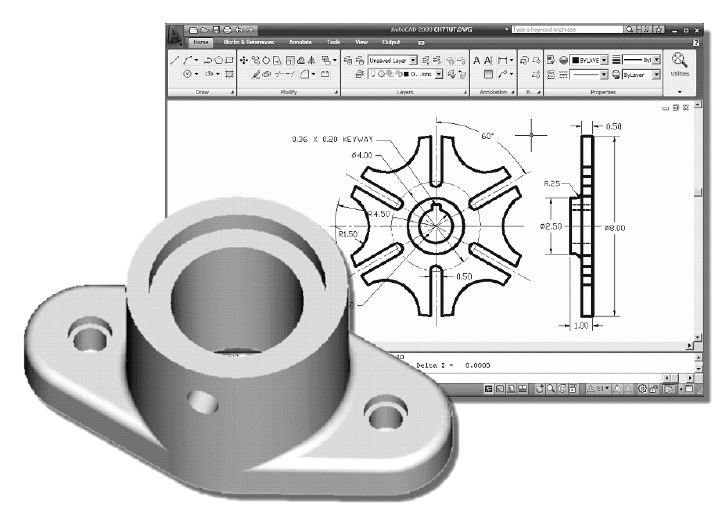
AutoCAD provides a whole range of dimensioning tools which can be used to quickly dimension any drawing without the need for measurement. Dimensioning in AutoCAD is automatic; lines, arrows and text are all taken care of by the dimension commands. AutoCAD dimensions are special blocks which can easily be edited or erased as necessary.

The correct use of AutoCADs dimension tools is the key to producing clear and concise measured drawings.AutoCAD provides lots of control over the way dimensions look. Using a system similar to text styles, dimension styles allow you to design dimensions so that they look just the way you want them to.
                         1512_autocad.png


Related Discussions:- Autocad-introduction

Traverse, how to fill traverse computation sheet of opened traversig ..

how to fill traverse computation sheet of opened traversig ..

Determine the meaning of relaxation of steel, Determine the meaning of Rela...

Determine the meaning of Relaxation of Steel If the strain in steel is kept constant, it is seen that stresses in it reduce with time. It is called as relaxation of steel. Ten

Designing sewer pipes, Question While designing sewer pipes , why vitrifie...

Question While designing sewer pipes , why vitrified clay pipes commonly is used for pipe size less than 600mm still as precast concrete pipes with PVC lining is used for pipe

Vectors, applications of vectors

applications of vectors

Steps to determine brake (bhp) and motor horsepower (mhp), Steps to determi...

Steps to determine the brake (bhp) and motor horsepower (mhp):  1) Determine water horsepower (whp). h A (Qgpm) (SG) / 3956 OR h A (Qcfs) (SG) / 8.814 2) Apply the pump

Arches, what is arches ? what are the classification of arches

what is arches ? what are the classification of arches

Plane table surveing, in plane table surveying which activity is done first...

in plane table surveying which activity is done first whether centering or levelling?

Define the shock transmission unit, Define the Shock Transmission Unit? ...

Define the Shock Transmission Unit? Ever since engineers have started designing multi span simply supported bridges, they have been dreaming of connecting all the spans togethe

Can u give me a sample assignment, im newer to the courses so i would like ...

im newer to the courses so i would like to know about the assignment types. in this case can u please show me a sample assignment?

Write Your Message!

Captcha
Free Assignment Quote

Assured A++ Grade

Get guaranteed satisfaction & time on delivery in every assignment order you paid with us! We ensure premium quality solution document along with free turntin report!

All rights reserved! Copyrights ©2019-2020 ExpertsMind IT Educational Pvt Ltd